Quick Answer
Choose a basic programmable hopper feeder for compatible dry food and a repeating schedule when you want controls on the unit and can inspect the chute and bowl daily.
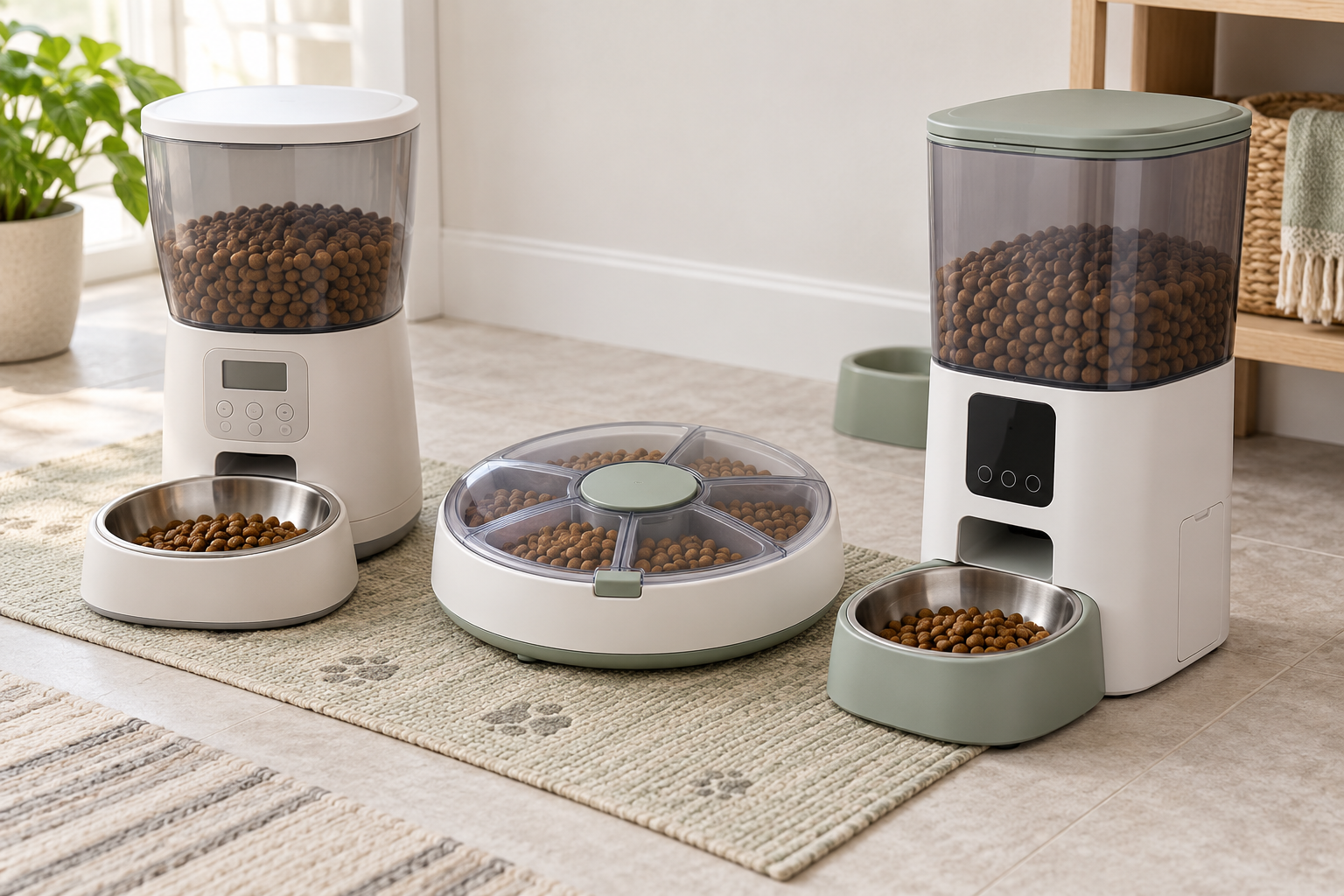
Choose a rotating-tray feeder when separately filled compartments are easier to verify than a large hopper, after confirming the tray size, lid opening, and timer sequence.
Choose a connected hopper feeder only when remote changes or notices solve a real problem and the feeder remains understandable and usable when the network or app is unavailable.
An automatic feeder is a routine tool, not a substitute for deciding what and how much to feed with your veterinarian, monitoring appetite and body condition, arranging responsible care, or checking that the mechanism worked.
How the Three Formats Differ
Programmable hopper feeders
These store dry food above a dispensing mechanism and release it into a bowl on a programmed schedule. Compare the maker’s supported kibble dimensions and shapes with the food you actually use. A large advertised hopper capacity does not establish compatibility, portion accuracy, or resistance to jams.
Look for controls that can be locked against accidental changes, a clear manual-feed function, and food-contact pieces that detach without exposing electronics. Measure the full footprint with the bowl attached and the overhead clearance needed to remove the lid and refill it.
Rotating-tray feeders
A covered tray turns to expose one compartment at a time. This makes each compartment visible during setup and avoids a tall food reservoir. Compare usable compartment dimensions, the number and order of openings, minimum scheduling interval, lid alignment, and whether the pet can rotate or lift the cover.
A tray model still needs food-compatible use and prompt cleaning. Do not assume a covered compartment provides refrigeration or makes food safe for longer than its normal handling guidance. This guide is limited to dry food; follow the food maker and veterinarian for any other use.
Connected hopper feeders
Connected models may provide app scheduling, remote dispensing, logs, camera features, or notices, but features vary and can change. Confirm which controls work locally, what happens without internet, whether an account or subscription is needed, which phone software is supported, and what an alert actually confirms. A command or log is not proof that food reached the bowl or that the pet ate it.
Check Food Fit and Amounts Before Buying
Start with the dry food’s current label and the feeder maker’s written compatibility guidance. Compare piece width, thickness, shape, density, and any tendency to crumble. Do not pour food into a new feeder merely because the opening looks large enough.
- Dispensing mechanism: Compare auger, paddle, wheel, or tray movement and the stated food-size range.
- Increment controls: Find out what the maker means by a “portion” or “serving.” It may be a device increment, not a veterinary feeding recommendation.
- Bowl capacity: Confirm the bowl can hold the largest scheduled release without backing food into the outlet.
- Manual test: Run several supervised cycles with the actual food before relying on a schedule. Watch for bridging, crushing, double drops, or food left in the chute.
- Household access: Consider whether another pet can eat from the bowl. A timed feeder does not provide selective access unless the exact product is designed and set up for that purpose.
Ask your veterinarian how much and how often to feed when there is any medical condition, prescription diet, weight concern, appetite change, young or senior pet, or uncertainty. Do not use feeder increments to invent a feeding plan.
Plan for Power, Connectivity, and Missed Dispensing
Read what the exact model does during a power interruption: whether the clock and schedule persist, whether batteries run the full mechanism or only save settings, and how low-battery status is shown. If both an adapter and batteries are supported, verify the required battery type and replacement procedure in the manual.
Keep a simple fallback that does not depend on the feeder. That might mean a responsible person who can check the pet and provide the veterinarian-approved meal using a marked scoop. Do not treat “battery backup,” an app notification, or a camera as permission to leave a pet without appropriate in-person care.
Test the feeder while you are present. Confirm the clock, schedule, sound, bowl position, and actual delivery after unplugging and reconnecting it according to the instructions. Recheck after a power outage, software update, schedule change, refill, cleaning, or food change.
Cleaning, Placement, and Pet Access
Food oils and crumbs collect around hoppers, chutes, lids, trays, and bowls. Prefer a design whose food-contact parts can be removed, washed, rinsed, and dried as directed. Electronics and motors normally need a different cleaning method, so follow the manual rather than immersing the base.
Place the feeder on a stable, level, washable surface with enough wall clearance for lids, cords, bowls, and air movement. Route the cord where the pet cannot chew, pull, or become tangled in it. If safe cord routing is not possible, skip the location or the powered product rather than covering damaged equipment.
Watch how the pet approaches the noise and moving parts during supervised trials. Stop if the pet persistently avoids the area, paws aggressively at the mechanism, tips or chews the unit, or appears distressed. Move back to a familiar bowl and seek qualified guidance when feeding behavior or appetite changes concern you.
Who Should Skip an Automatic Feeder?
Skip a hopper feeder when the food falls outside its written compatibility range, the pet can open or tip it, or nobody can check for missed or excess dispensing.
Skip a rotating tray when the compartments are too small, the lid can be forced, or the number and timing of openings do not match the established plan.
Skip a connected feeder when local operation is unclear, reliable connectivity is unavailable, the app requirements are unacceptable, or remote features would create more uncertainty than they solve.
Skip automatic feeding altogether when a pet needs close appetite monitoring, medication or treatment timing, special food handling, or a feeding plan that your veterinarian says requires direct supervision. Contact a veterinarian promptly for refusal to eat, repeated vomiting, marked thirst changes, weakness, pain, or another concerning change.
Related Feeding Guides
For a selective-access problem in a shared home, compare microchip feeder formats for multi-pet homes. Build the surrounding area with the low-mess feeding-station guide, or review starter pet supplies that support a repeatable routine.
Bottom Line
A good automatic feeder fits the exact dry food, releases a verified amount on understandable controls, comes apart for realistic cleaning, and has a clear response when power or connectivity fails. Buy for that routine—not for an unsupported promise of hands-off feeding—and keep daily in-person checks and veterinary guidance where they belong.