 TP-Link Tapo C210
 Blink Mini
A camera is a convenience for occasional viewing. It cannot guarantee a pet is safe, replace an in-person caregiver, diagnose distress, or treat separation-related behavior. Alerts can be delayed or missed because of power, internet, app, or notification failures.
Best Comparison for Rotating Pet-Specific Coverage: Furbo 360° Dog Camera
Compare Furbo when your dog uses several parts of one room and you want a camera designed around pet check-ins. The rotating view can reduce blind spots, while treat dispensing may suit dogs that already take treats calmly from devices.
The tradeoffs are cost, counter space, refill cleaning, and service terms. Treat tossing is not appropriate for every pet or multi-pet home, and it should not be used to interrupt fear, barking, or destructive behavior without guidance from a qualified professional.
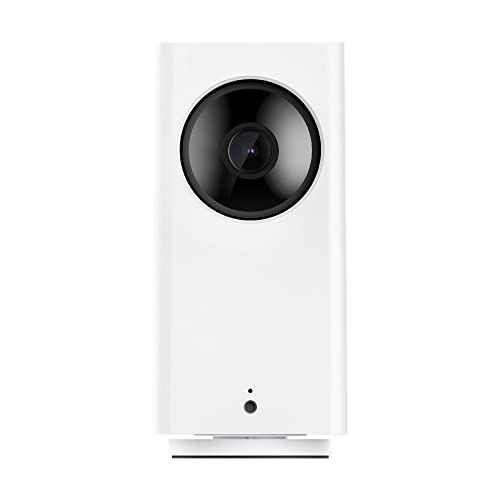
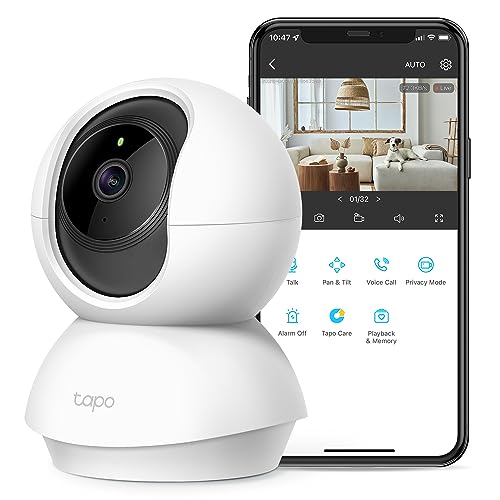
Best Comparison for Simple Pan and Tilt: TP-Link Tapo C210
The Tapo C210 is worth comparing when you want to scan a room but do not need a treat hopper or pet-branded features. A general indoor camera can be the more practical value when the job is simply confirming that a pet is resting in a familiar area.
Check current local-storage, cloud, app, and account requirements. Position the camera so panning does not expose private rooms or windows, and keep its power cord completely out of a pet's reach.
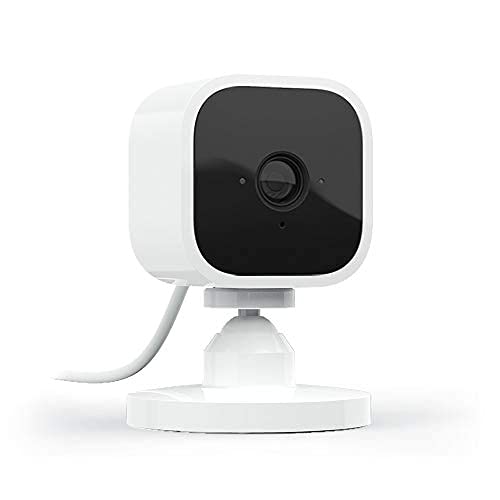
Best Comparison for One Fixed Area: Blink Mini
Compare the Blink Mini when your pet usually settles in one predictable spot and a fixed field of view covers it. A compact fixed camera is easier to place than a rotating model and may be all you need for a bed, gated room, or favorite chair.
A fixed view creates blind spots. Test the live view in daylight and at night, and do not interpret an empty frame as proof that something is wrong—or that everything elsewhere in the home is fine.
Selection Criteria That Matter
- Useful field of view: Place a phone at the proposed location first and confirm the lens can see the pet's usual resting area without pointing into private spaces.
- Power and Wi-Fi: Check outlet distance, supported Wi-Fi band, signal strength, and what the camera does after an outage or router restart.
- App and privacy: Use a unique password, enable multi-factor authentication when available, install updates, review shared access, and understand cloud retention.
- Recording choice: Decide whether live view is enough or whether you truly need clips, local storage, or a paid plan. Confirm current terms rather than assuming a feature is free.
- Audio: Two-way talk can startle or confuse some pets when they cannot find you. Test it while you are nearby and stop if your pet becomes unsettled.
- Placement: Use a stable surface or approved mount, keep cords and small parts inaccessible, and avoid heat, water, litter dust, food splashes, and direct window glare.
- Night view: Confirm that the resting area is visible in the actual room lighting; infrared reflections through glass can make a view less useful.
- Household consent: Tell family members, visitors, pet sitters, and other workers when an indoor camera may record them, and follow applicable privacy laws.
Quick Comparison Framework
- Fixed indoor camera: best for one bed or room; cheapest and simplest, but it leaves blind spots.
- Pan-and-tilt camera: useful across one larger room; adds moving parts and app controls.
- Pet camera with treat dispenser: useful only when the treat feature fits the pet and routine; bulkier and more work to clean.
- Cloud recording: convenient for saved clips; adds ongoing cost and more stored household footage.
- Local storage: can reduce subscription dependence; still needs secure setup, compatible media, and routine management.
Who Should Skip a Pet Camera
Skip one if checking the feed is likely to increase your worry, if your pet can reach cords or knock down the unit, or if household privacy cannot be handled comfortably. Also skip a treat camera for pets with dietary restrictions, food guarding, multi-pet competition, or a tendency to attack moving devices.
A camera is not the answer to repeated panic, escape attempts, self-injury, destructive behavior, toileting changes, or other concerning signs during absences. Discuss sudden physical or behavioral changes with a licensed veterinarian; a qualified trainer or veterinary behavior professional can help assess separation-related concerns.
Set Up a More Useful Check-In
Start with one stable view of the pet's normal resting area. Secure the account, update the device, route the cord safely, and test the setup while you are still home. Keep water and a comfortable resting option available according to your normal routine, and arrange an in-person caregiver whenever the length or circumstances of an absence require one.
If the room itself needs work, our small-space pet bed guide covers fit, cleaning, and placement. For calm supervised activity while you are home, see the simple pet toy rotation; do not leave toys out unsupervised unless they are appropriate for your individual pet.
The Bottom Line
Choose Furbo when rotating coverage and pet-specific extras have a clear purpose, Tapo when you want straightforward pan-and-tilt viewing, or Blink Mini when one fixed view is enough. The better camera is the least complicated model that covers the right area and fits your privacy expectations.
Use it for brief, realistic check-ins—not as proof of safety, a substitute for care, or a treatment for distress.